Shortening your first link
Paste a long URL, optionally set a custom slug, and share your short link.
Updated February 1, 2026links, shorten, slug
Shortening your first link
From the homepage
The fastest way to create a short link is directly from the Lynkd homepage:
- Paste your long URL into the input field.
- (Optional) Toggle Custom slug and type a memorable alias (e.g.
summer-sale). - Click Shorten — your link is ready instantly.
You do not need to be logged in to shorten a link from the homepage, but anonymous links are not saved to your account.
From the dashboard
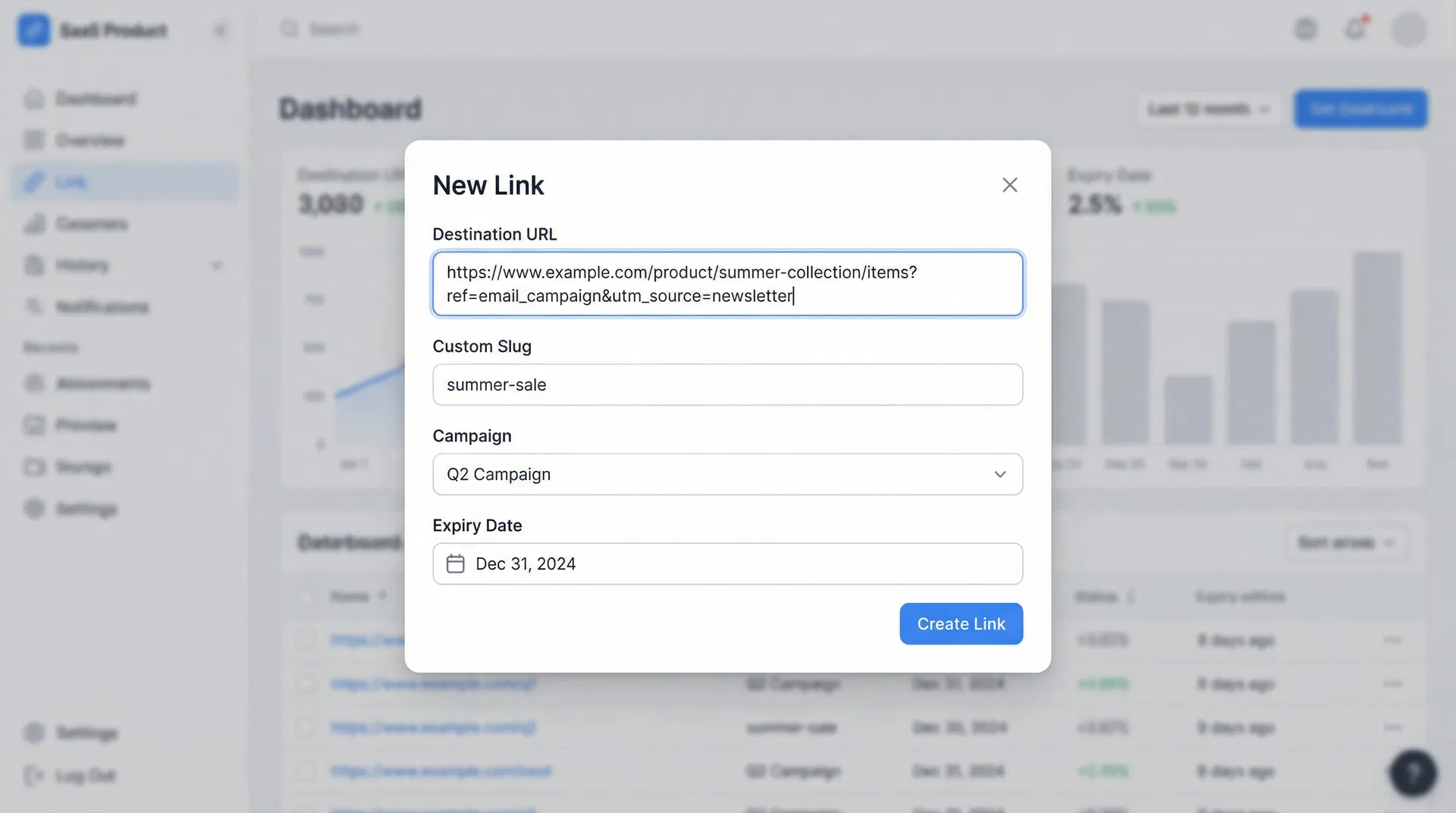
Logged-in users can create links from the Links page:
- Go to Dashboard → Links.
- Click New Link in the top-right corner.
- Fill in the destination URL, an optional title, and an optional custom slug.
- Assign the link to a Campaign if you want grouped analytics.
- Click Create — the link appears in your list immediately.
Custom slugs
Custom slugs let you replace the random code (e.g. lnkd.ink/aB3x) with something readable (e.g. lnkd.ink/summer-sale). Custom slugs are available on the Starter plan and above.
Note: Slugs are case-insensitive and must be unique across all Lynkd users.
Was this article helpful?
Still stuck? Contact our support team