Setting up webhooks
Register an endpoint URL to receive real-time click events from Lynkd.
Updated March 1, 2026webhooks, api, integration
Setting up webhooks
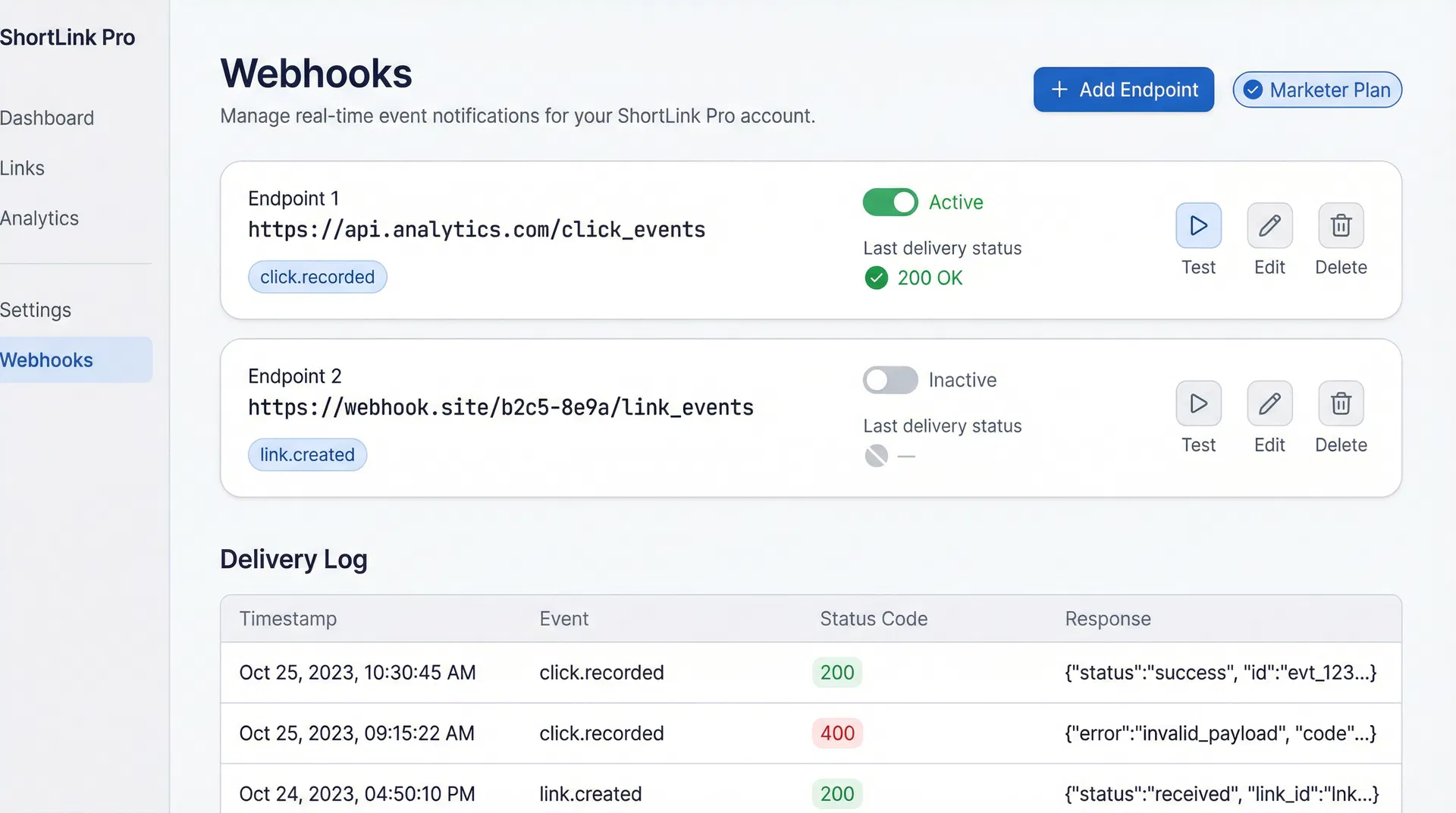
Webhooks are available on the Marketer plan and above. They let you receive a real-time HTTP POST to your server every time a click event occurs on one of your links.
Creating a webhook endpoint
- Go to Webhooks in the sidebar.
- Click Add Endpoint.
- Enter your endpoint URL (must be
https://). - Choose the events to subscribe to (currently:
click). - Click Save.
Lynkd will immediately send a test ping to verify the endpoint is reachable.
Payload format
Every POST request contains a JSON body:
json
{
  "event": "click",
  "linkId": "abc123",
  "shortCode": "summer-sale",
  "destination": "https://example.com/product",
  "timestamp": "2026-03-01T12:00:00.000Z",
  "country": "ZW",
  "city": "Harare",
  "device": "mobile",
  "browser": "Chrome",
  "os": "Android",
  "referrer": "https://instagram.com",
  "unique": true,
  "landed": true,
  "converted": false
}
{
  "event": "click",
  "linkId": "abc123",
  "shortCode": "summer-sale",
  "destination": "https://example.com/product",
  "timestamp": "2026-03-01T12:00:00.000Z",
  "country": "ZW",
  "city": "Harare",
  "device": "mobile",
  "browser": "Chrome",
  "os": "Android",
  "referrer": "https://instagram.com",
  "unique": true,
  "landed": true,
  "converted": false
}
Verifying the signature
Every request includes an X-Lynkd-Signature header in the format sha256=<hex>. Verify it using your webhook's secret key:
js
const crypto = require("crypto");

function verifySignature(payload, secret, signature) {
  const expected = "sha256=" + crypto
    .createHmac("sha256", secret)
    .update(payload)
    .digest("hex");
  return crypto.timingSafeEqual(
    Buffer.from(expected),
    Buffer.from(signature)
  );
}
const crypto = require("crypto");

function verifySignature(payload, secret, signature) {
  const expected = "sha256=" + crypto
    .createHmac("sha256", secret)
    .update(payload)
    .digest("hex");
  return crypto.timingSafeEqual(
    Buffer.from(expected),
    Buffer.from(signature)
  );
}
Viewing delivery history
Click View Deliveries next to any endpoint to see the last 50 delivery attempts, including the HTTP status code and response body.
Was this article helpful?
Still stuck? Contact our support team